


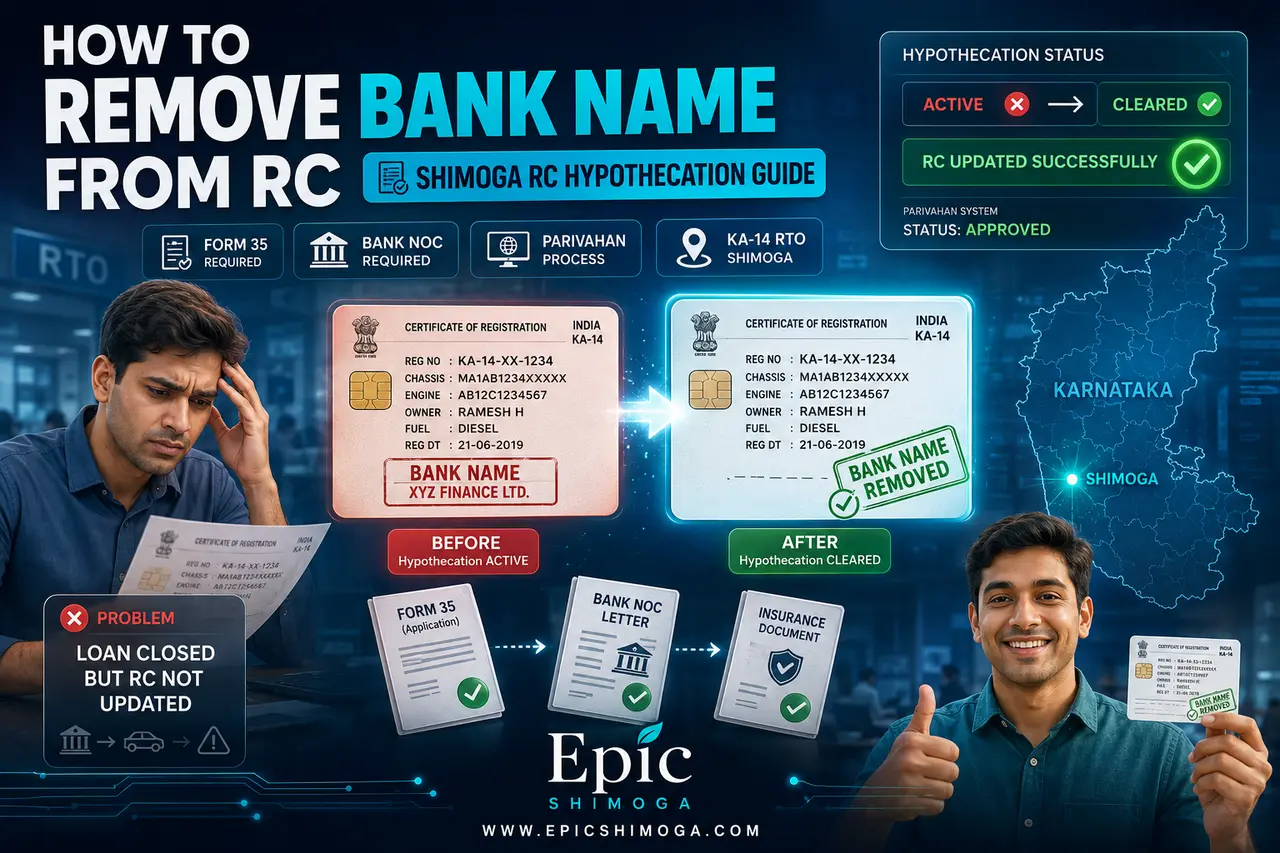
Finishing your vehicle loan is an important milestone, but many vehicle owners in Shimoga are unaware that the Registration Certificate (RC) still shows the bank or finance company name even after loan closure.
This happens because the vehicle remains under hypothecation status until it is officially removed from the RTO records.
If your vehicle is registered under Shimoga RTO (KA-14), this guide explains the complete step-by-step process of how to remove bank name from RC book online after loan closure.
What is Hypothecation in RC?
Hypothecation means your vehicle is legally linked to the bank or finance company until the loan is fully repaid.
Even after closing the loan:
- Bank name remains in RC records
- You are not considered full owner in RTO system
- RC update is required separately
Need Help with RC Hypothecation Removal in Shimoga?
If you find this process confusing or want help with document verification, you can also get here RC hypothecation removal service support in Shimoga through our dedicated assistance page to avoid mistakes and rejection.
Step 1: Collect Loan Closure Documents from Bank
After your final EMI payment, your bank or finance company issues:
No Objection Certificate (NOC)
- Confirms loan is fully closed
- Usually valid for a limited period (commonly 90 days)
Form 35 (Two Copies)
- Official hypothecation cancellation document
- Must be signed and stamped by the bank
- Both copies are required for submission
Step 2: Check Required Documents Before Applying
Before starting the online process, ensure:
- Vehicle insurance is active
- PUC certificate is valid
- RC details match bank records
- Bank documents are properly signed and stamped
If any document is incorrect or expired, the application may get rejected in the Parivahan system.
Step 3: Apply Through Parivahan Portal
The Government of India provides an official portal called Parivahan / Vahan Services.
Steps involved:
- Visit the Parivahan portal
- Select Karnataka state
- Choose Shimoga RTO (KA-14)
- Enter vehicle registration number
- Verify chassis details
- Select service: Hypothecation Termination
- Upload documents:
- Bank NOC
- Form 35
- Insurance copy
- RC copy
- Pay the required government fee online
After submission, the application is sent for RTO verification.
Step 4: RTO Verification Process
Once submitted:
- RTO verifies uploaded documents
- Bank records are cross-checked
- Application is approved or rejected based on verification
If approved:
- Hypothecation is removed from RC
- Vehicle ownership is updated in RTO records
- New RC is generated with clean status
Step 5: Final RC Update
After approval:
- Updated RC is printed
- Bank or finance company name is removed
- RC is dispatched or made available as per RTO process
Why RC Update is Important
- Ensures full legal ownership of the vehicle
- Required for selling or transferring vehicle
- Avoids issues during insurance claims
- Prevents future RTO verification problems
What Happens If Your Bank NOC is Expired?
Common Reasons for RC Update Rejections at Shimoga RTO
Important Understanding
Loan closure and RC update are two separate processes:
Loan closure is completed at the bank level, while RC update must be done separately through the RTO system.
Both steps are necessary to achieve full ownership clearance.
Summary of Process
Loan Closed → Collect NOC + Form 35 → Apply on Parivahan → RTO Verification → RC Updated → Bank Name Removed
Final Note
Removing the bank name from RC is not automatic after loan closure. It requires a separate RTO procedure known as hypothecation termination.
If you are not familiar with the process or want help with document verification and online submission, you can get assistance through our RC update support service for Shimoga.

2 Comments
Pingback: Remove Bank Name from RC in Shimoga - KA14 Services
Pingback: Shimoga RC Problems: Remove Financer Name from Bike and Car